What is Lighthouse (Agent Suite)?
Lighthouse (Agent Suite) is a visual workspace for building, testing, and managing AI workflows and agents. You assemble flows from reusable components, configure models and tools, and inspect results without setting up a local development environment.
Open the Quickstart to create and test your first agent flow entirely in the Lighthouse interface.
Quickstart
Create and test a working agent flow.
Visual editor
Learn how to navigate the workspace and connect components.
Components
Explore the available building blocks and integrations.
Build visually
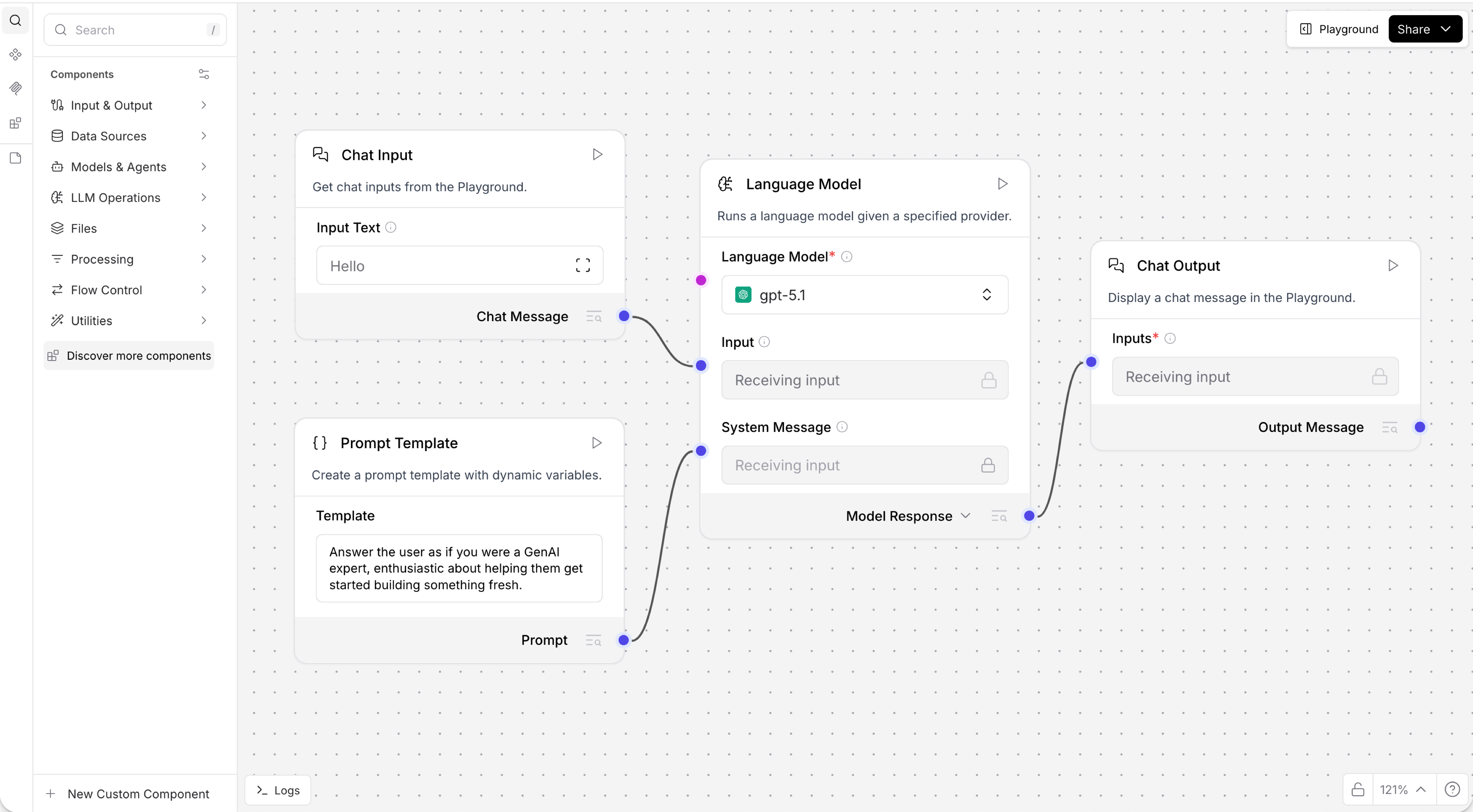
A flow is a visual representation of an application workflow. Each component performs a specific task, such as receiving input, calling a model, retrieving data, using a tool, or formatting output.
In the visual editor, drag components into the workspace, connect compatible ports, and configure each step from its inspection panel. Lighthouse validates connections and makes it easy to understand how data moves through the flow.
Test and refine
Use the Playground to interact with a flow and review its behavior. You can also run an individual component and inspect its output while you build.
This visual feedback loop lets you refine prompts, models, tools, and data connections before sharing a flow with others.
Build agents
Lighthouse supports agentic workflows that combine language models with tools, memory, knowledge, and other flows. Start with Agents, then review Agent tools to understand how agents select and use connected capabilities.
Use managed components
Your Lighthouse environment is managed for you. Build with the components and providers available directly in the visual workspace. If a component or provider you need is unavailable, contact your Lighthouse administrator.